Phone-to-Phone
You can now choose to make your InterVoip calls via your regular phone with the Phone-to-Phone feature. This is a neat feature which enables you to take your InterVoip call on your home or mobile phone.
To setup a call, InterVoip will first dial YOUR phone number. As soon as you pick it up, we will dial the other number and you can start talking.
Here's how the phone to phone feature works:
First choose the 'Call/SMS' tab in the my account menu. Then choose 'Phone-to-phone' option and enter your own home or mobile phone number in the 'Your phone number' field.

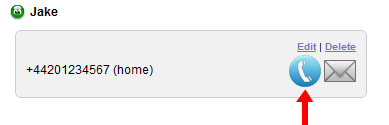
Then enter the number you want to call in the 'Destination phone number' field followed by the 'Call Now! button' or click a contact from your contact list, click on the blue phone button and then the 'Call Now! button'.
Costs for calling your phone number and the destination number are settled via your InterVoip account. You pay the regular InterVoip rates as advertised on this website.